
Introduction
Planning to watch a movie at United Cinemas during your trip to Japan?
Although the booking website is available only in Japanese, you can still reserve tickets without creating a CLUB-SPICE membership account. Chrome’s built-in translation works well throughout the booking process, making it much easier for international visitors to book tickets.
In this guide, we’ll walk you through the booking process step by step, explain what information you’ll need, and share a few helpful tips to make your reservation as smooth as possible.
🎬 Ready to Book?
Open the United Cinemas online booking page in a new tab, then follow the steps below with our screenshots.
💡 You don’t need to create a CLUB-SPICE membership to book tickets.
Quick Facts
| Question | Answer |
|---|---|
| Official English website | ❌ No |
| Can you book entirely in English? | ❌ No (Chrome translation recommended) |
| Guest checkout available | ✅ Yes |
| Membership required | ❌ No |
| Can tourists use it? | ✅ Yes |
| Overseas credit cards accepted | ⚠️ Not officially confirmed |
| Japanese phone number required | ⚠️ Not officially confirmed |
| Required information | Name, phone number, and email address |
Before You Start
United Cinemas does not currently offer an English booking interface.
The good news is that Chrome’s built-in translation works well throughout the booking process, allowing you to complete your reservation without switching back to Japanese.
Movie schedules are usually released on Tuesday evenings for screenings from Friday through the following Thursday. If you can’t find your preferred showtime yet, it may not have been released.
You’ll also receive a booking confirmation email after completing your reservation, so be sure to enter a valid email address that you can access during your trip.
Tip: Keep Chrome’s built-in translation turned on throughout the booking process. Since United Cinemas doesn’t offer an English booking interface, it makes the website much easier to navigate.
What You’ll Need Before Booking
Before you start your reservation, prepare the following information:
| You’ll Need | Notes |
|---|---|
| 📧 Email address | A booking confirmation email will be sent here. |
| 📱 Phone number | Used for your reservation details. |
| 👤 Your name | Required during the booking process. |
| 💳 Payment method | Credit card or supported payment method. |
| 🎟️ MoviTicket (optional) | Have your MoviTicket information ready if you’re using one. |
Good to know: You don’t need a CLUB-SPICE membership to complete your booking.
Step-by-Step Booking Guide
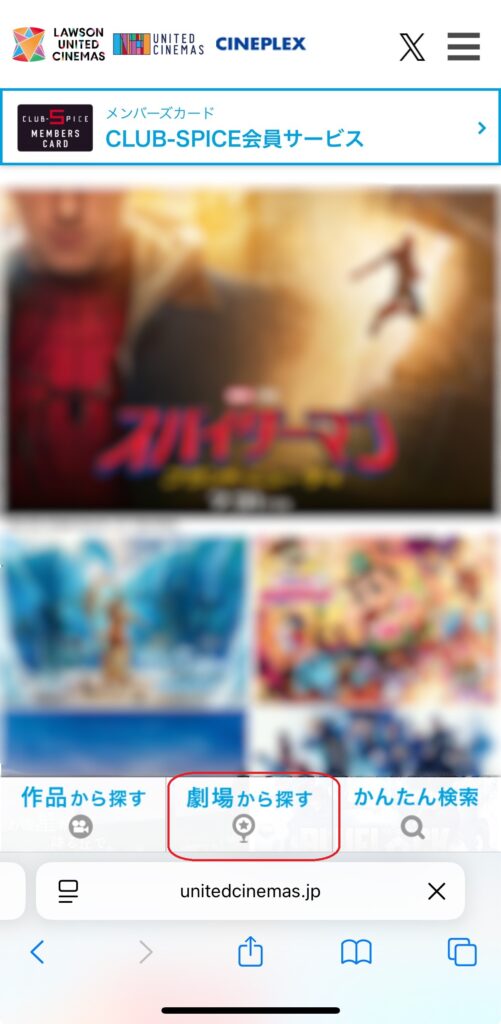
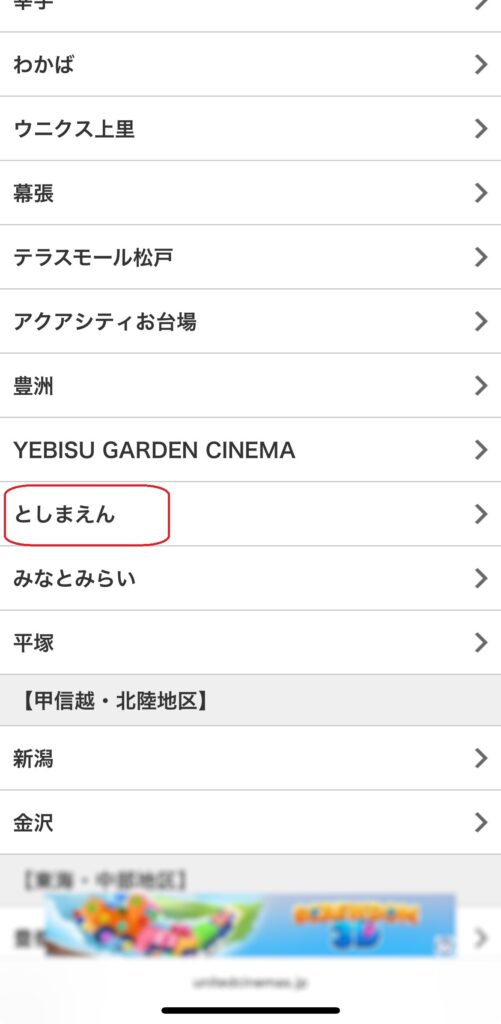
Step 1 — Choose Your Theater
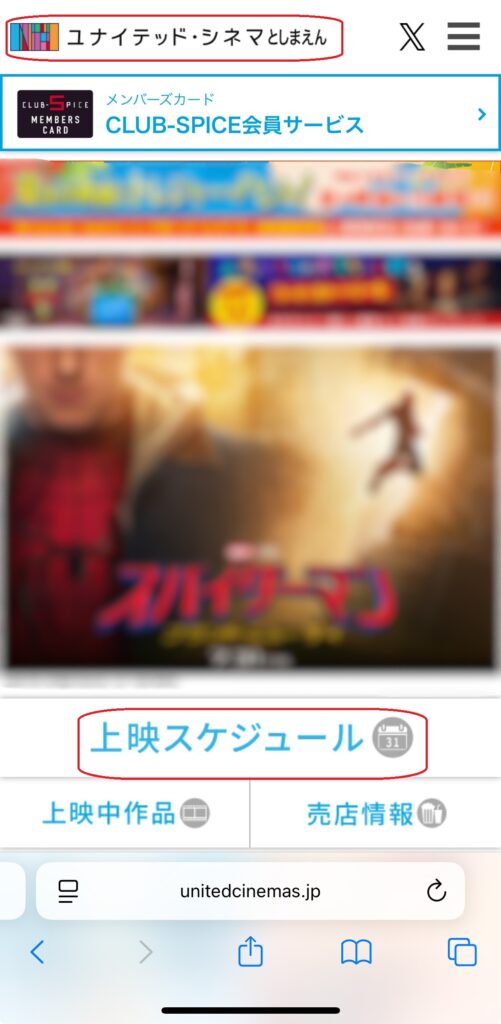
Start by selecting the United Cinemas location where you’d like to watch your movie.
The theater list is displayed only in Japanese, so we recommend using Chrome’s built-in translation to make navigation easier.
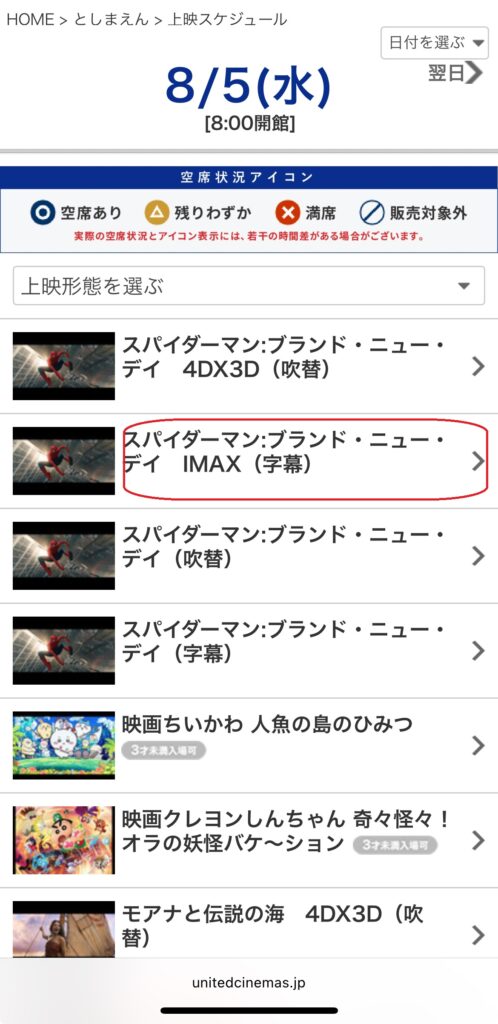
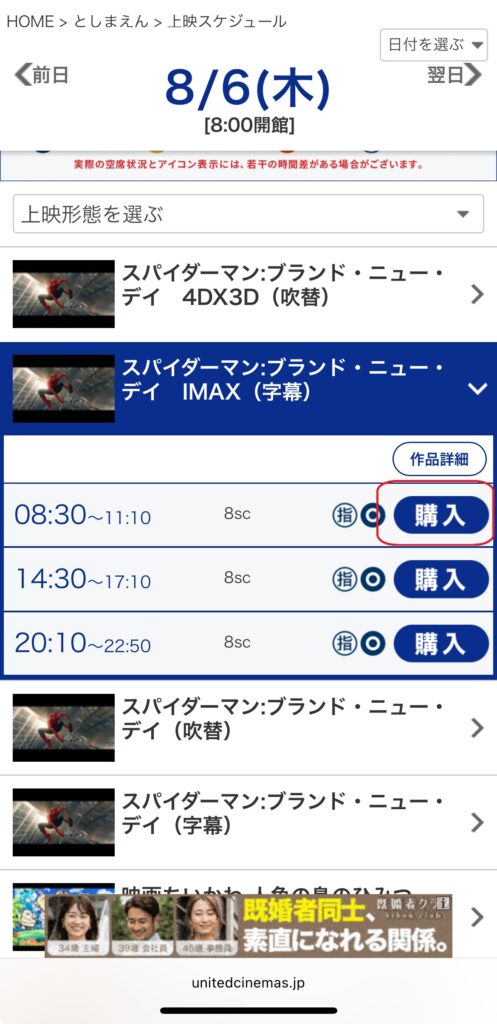
Step 2 — Choose a Date, Movie, and Showtime
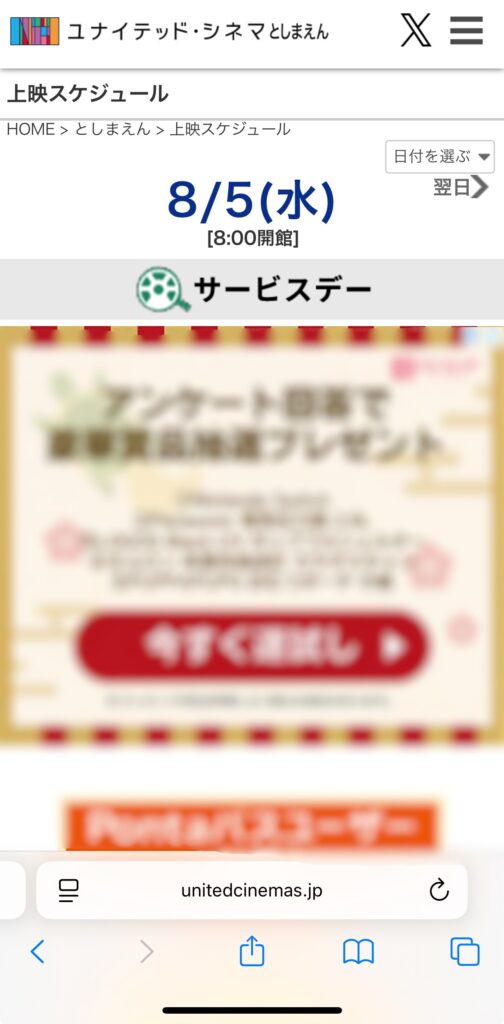
Select your preferred date, then choose the movie and showtime you’d like to book.
Movie titles are displayed only in Japanese, so keeping Chrome’s built-in translation enabled will make them much easier to identify.
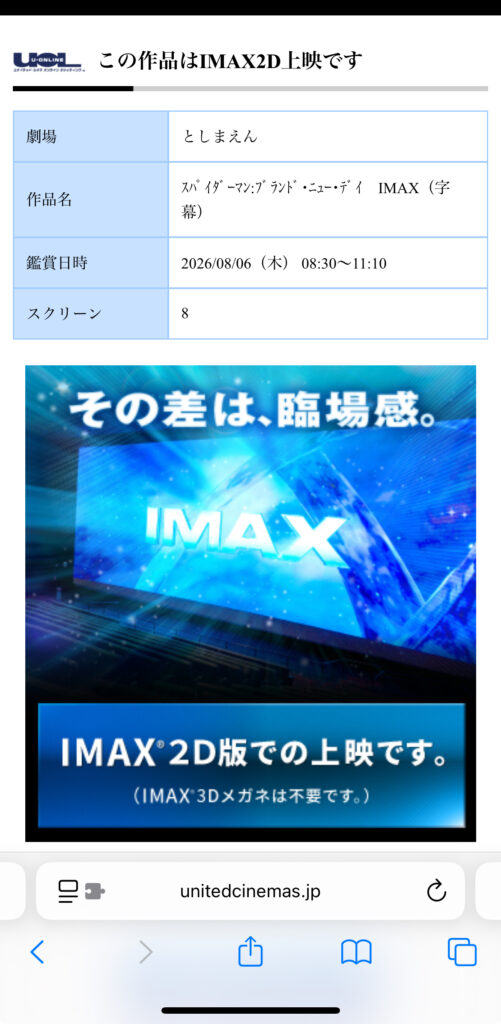
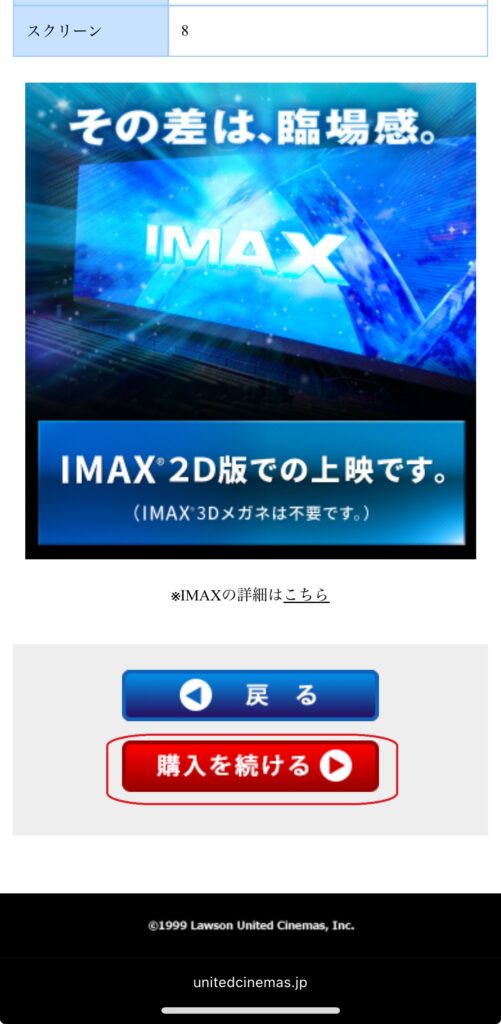
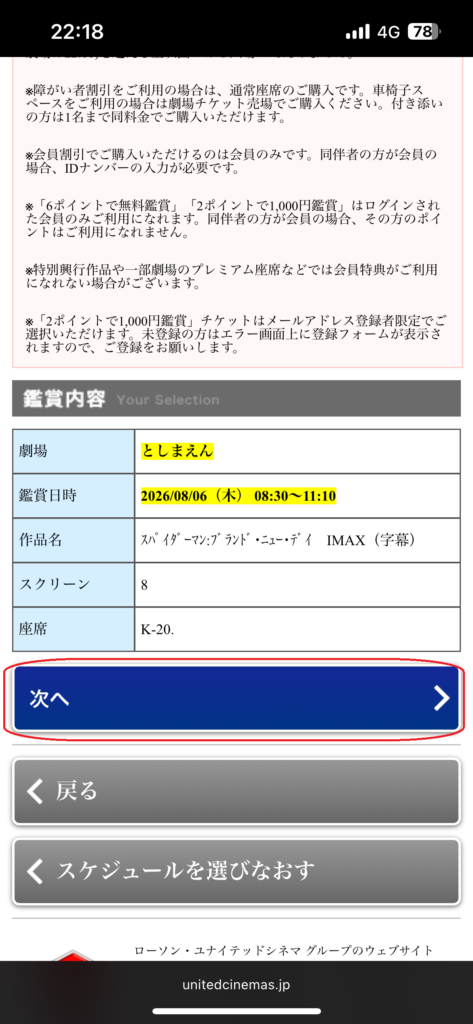
Before continuing, you’ll also see a confirmation screen showing the theater, movie title, date, time, and screen number.
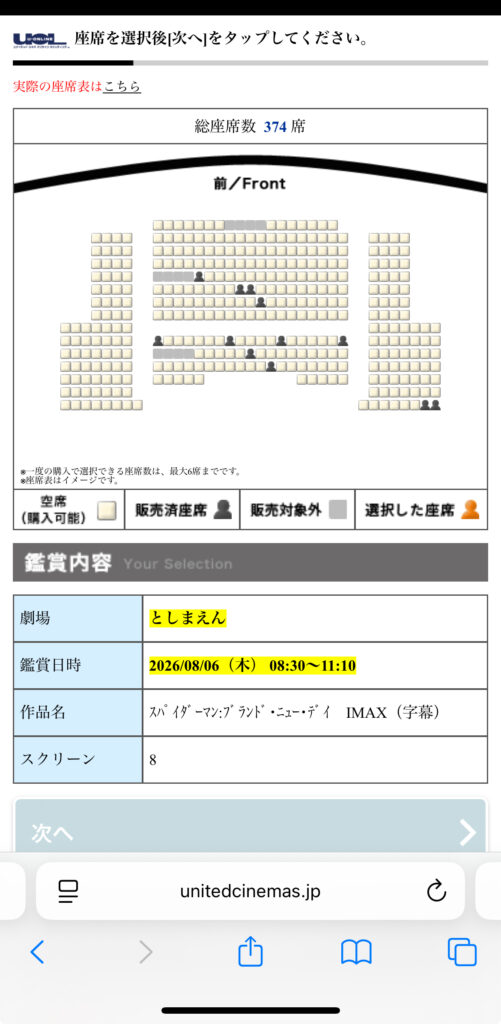
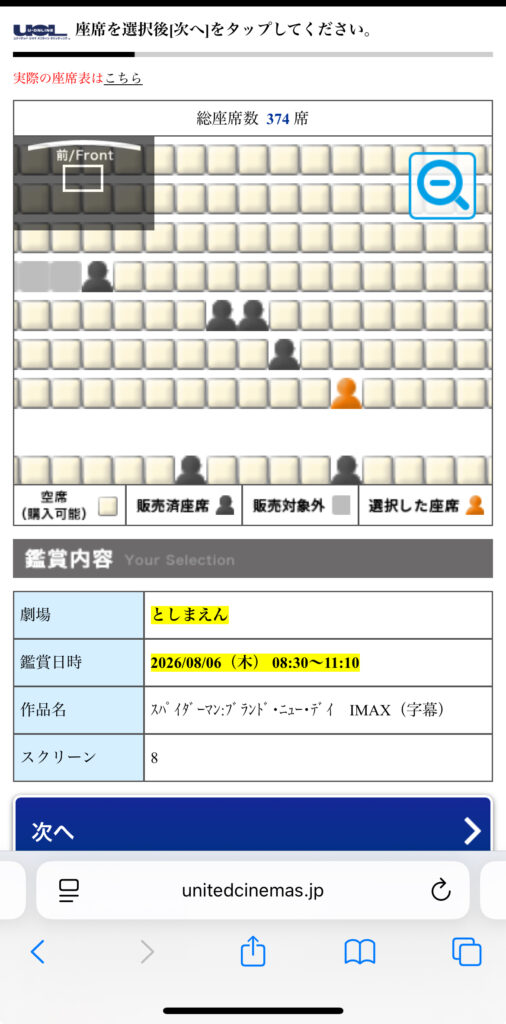
Step 3 — Select Your Seats
Choose your preferred seats from the seating chart, then continue to the next step.
Available seat types may vary depending on the theater and screening.
Step 4 — Continue Without a Membership
After selecting your seats, you’ll be asked whether you’d like to log in as a CLUB-SPICE member.
If you don’t have an account, select Continue under the General Customers section.
On the next screen, choose Purchase Without Becoming a Member to continue as a guest.
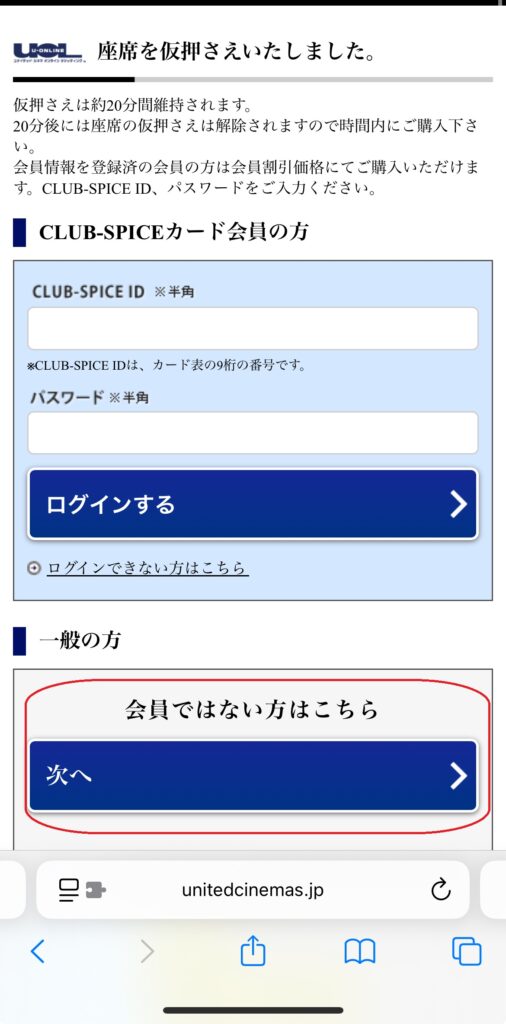
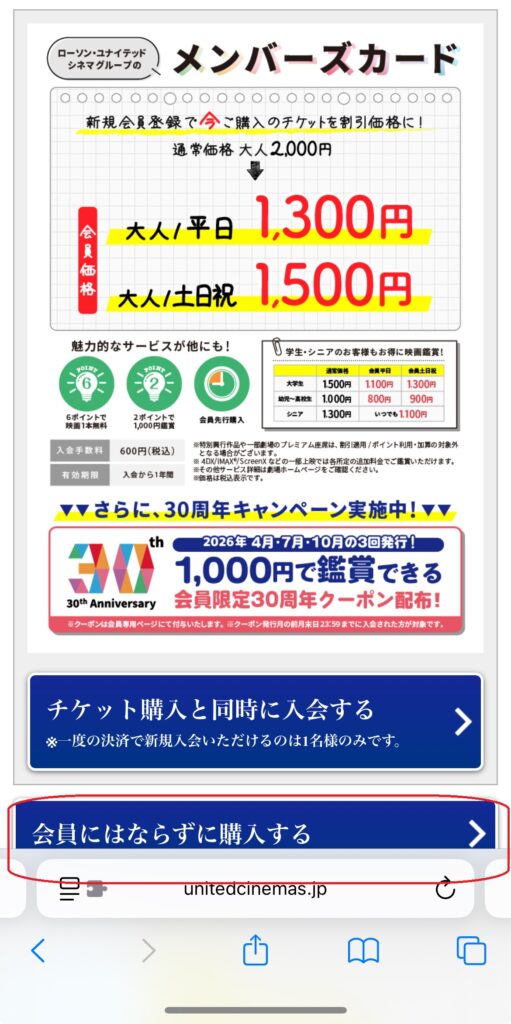
Tip: You don’t need to create a CLUB-SPICE membership. Simply choose Purchase Without Becoming a Member to continue as a guest.
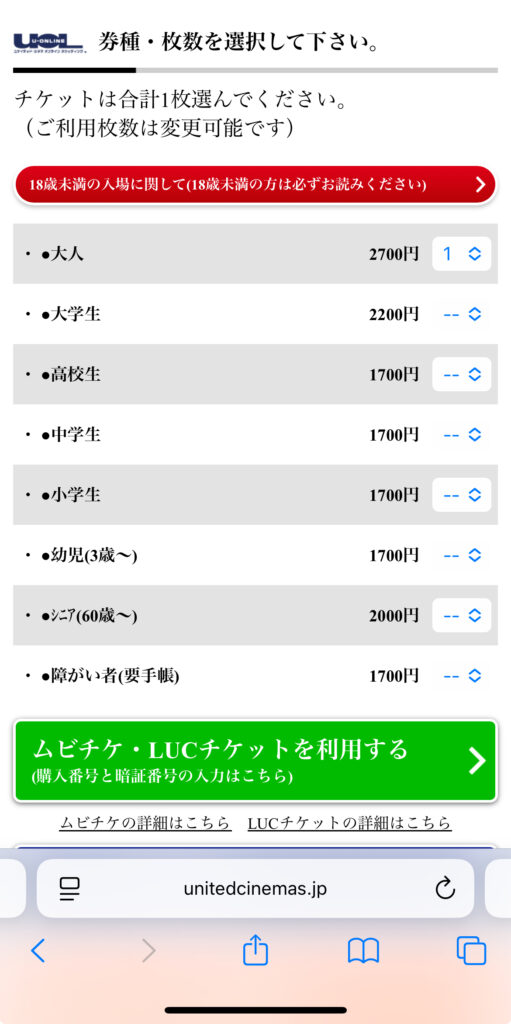
Step 5 — Choose Your Ticket Type
Select the number of tickets for each ticket type using the drop-down menus.
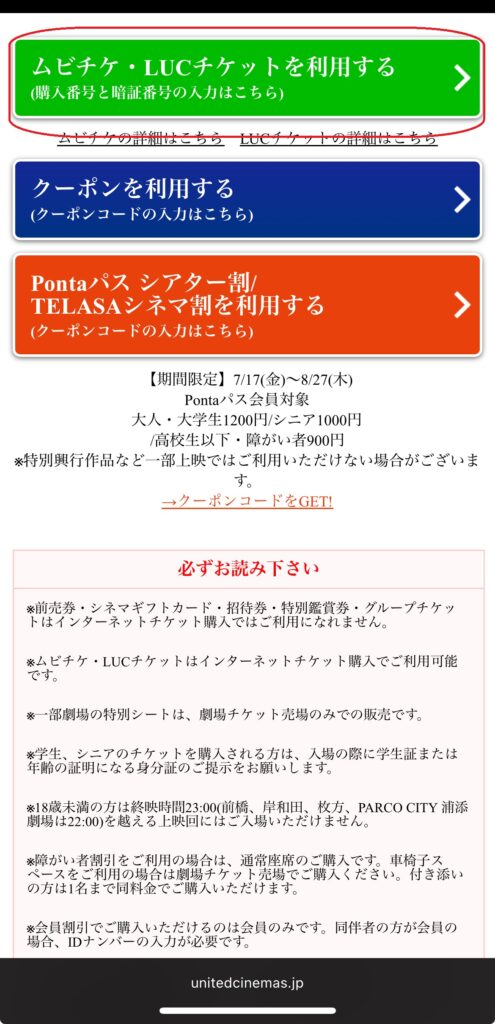
If you’re using a MoviTicket, select Use MoviTicket below the ticket list before continuing.
Once you’ve selected your tickets, scroll down and click Next.
Step 6 — Review Your Booking and Complete Payment
Choose your preferred payment method, then review your booking details on the confirmation screen.
Before completing your purchase, check the box to agree to the terms and conditions.
If you’re paying by credit card, enter your card details along with your contact information, including your name, phone number, and email address.
Once everything looks correct, complete your purchase.
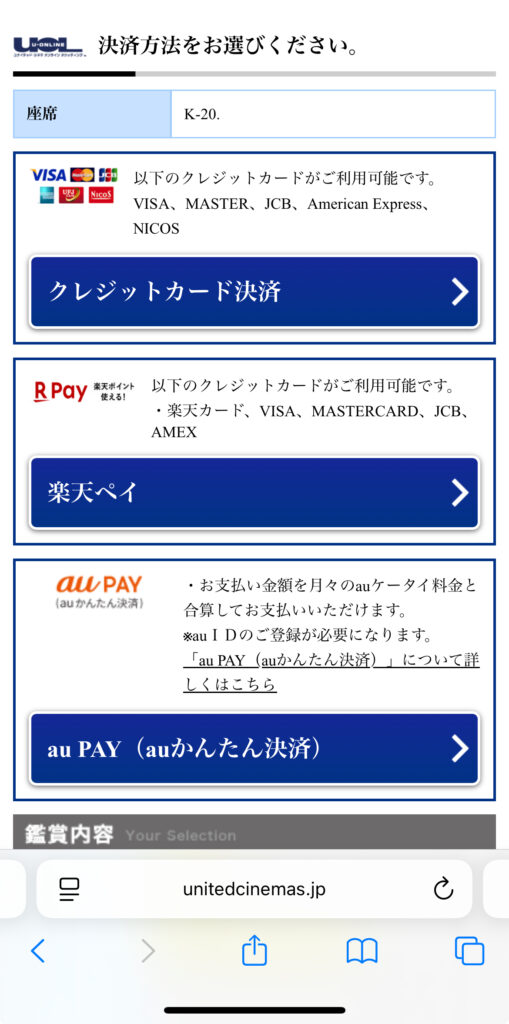
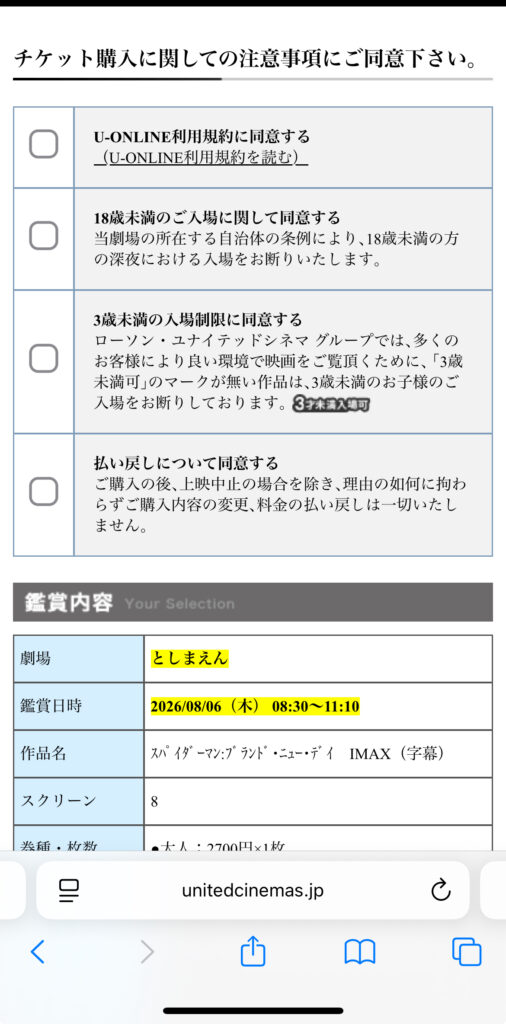
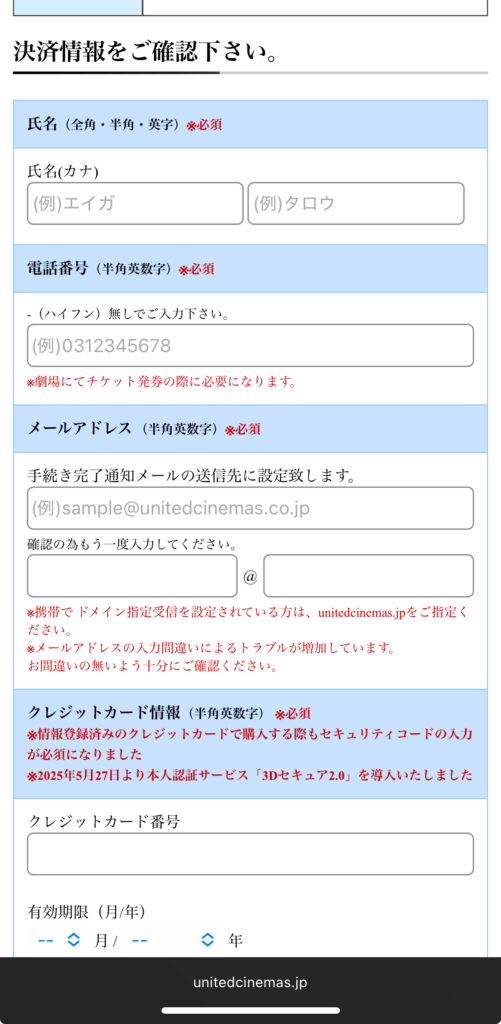
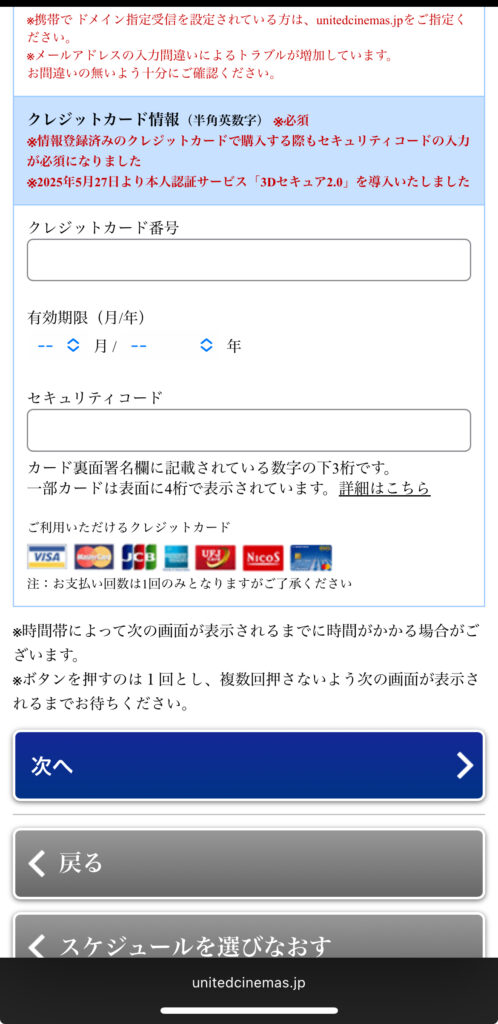
Available payment methods include:
- Credit Card (Visa, Mastercard, JCB, American Express, and NICOS)
- Rakuten Pay
- au PAY
How to Receive Your Ticket
After completing your booking, you’ll need to collect your ticket at the theater before entering the screening.
Option 1 — Print Your Ticket at the Theater
You can collect your ticket from a ticket machine or the theater’s ticket counter.
You’ll need your booking number and the phone number you entered during booking.
Tickets can be printed any time after your purchase is complete until the end of the screening.
Option 2 — Use Your CLUB-SPICE Membership Card
If you booked your ticket while logged in to your CLUB-SPICE account, you can print your ticket using your membership card instead of entering your booking number.
Things to Know Before Booking
When Do Ticket Sales Open?
Regular ticket sales open at 12:00 AM (midnight), two days before the screening date.
CLUB-SPICE members can book tickets earlier, from 9:00 PM, three days before the screening.
Movie schedules are usually released on Tuesday evenings for screenings from Friday through the following Thursday. Please note that release dates may vary depending on the movie or theater.
Can I Cancel or Change My Booking?
No.
Once your booking is complete, tickets cannot be changed, cancelled, or refunded unless the screening itself is cancelled.
Can I Enter After the Movie Starts?
Late entry may be possible depending on the screening.
If you arrive after the movie has started, please speak to a theater staff member for assistance.
FAQ
Can tourists book United Cinemas tickets online?
Yes. You can book tickets online without creating a CLUB-SPICE membership. Guest checkout is available, making it easy for tourists and first-time visitors.
Do I need a CLUB-SPICE membership?
No. A CLUB-SPICE membership is optional. Simply choose Purchase Without Becoming a Member during the booking process if you don’t want to create an account.
Do I need a Japanese phone number?
A phone number is required during the booking process. However, we could not verify whether overseas phone numbers are accepted.
Can I pay with a foreign credit card?
We could not verify whether United Cinemas accepts overseas-issued credit cards.
If possible, we recommend having an alternative payment method available in case your card isn’t accepted.
Is there an English version of the booking website?
No. United Cinemas’ booking website is available only in Japanese.
However, Chrome’s built-in translation makes the booking process much easier for international visitors.
Ready to Enjoy Your Movie?
Booking movie tickets with United Cinemas may seem confusing at first, but it’s easy once you know the steps.
We hope this guide helps you book your tickets with confidence and enjoy your movie experience in Japan!