
Introduction
Going to see a movie at AEON CINEMA while you’re in Japan?
Although the booking website is only available in Japanese, you can still reserve tickets without creating a membership account.
This guide will walk you through the booking process step by step, explain what you’ll need before you start, and help you book your tickets with confidence.
🎬 Ready to Book?
Open the AEON CINEMA Online Ticket Booking page in a new tab, then follow the steps below with our screenshots.
💡 You don’t need to create a Watashi Theater membership to book tickets.
Quick Facts
Here’s a quick overview before we go through the booking process.
| Feature | Details |
|---|---|
| Official English website | ❌ No |
| Can you book entirely in English? | ❌ No (Chrome translation recommended) |
| Guest checkout available | ✅ Yes |
| Membership required | ❌ No |
| Can tourists use it? | ✅ Yes |
| Overseas credit cards accepted | ⚠️ Not officially confirmed |
| Japanese phone number required | ⚠️ Not officially confirmed |
| Required information | Name, phone number, and email address |
Before You Start
Unlike some other major Japanese movie theater chains, AEON CINEMA does not offer an English booking interface.
The good news is that Chrome’s built-in translation works well throughout the booking process, so you can complete your reservation without switching back to Japanese.
You’ll receive a confirmation email after booking, so make sure to enter an email address you can access during your trip.
Tip: Keep Chrome’s built-in translation turned on throughout the booking process to make navigation much easier.
What You’ll Need Before Booking
Before you start your reservation, prepare the following information:
| You’ll Need | Notes |
|---|---|
| 📧 Email address | A booking confirmation email will be sent here. |
| 📱 Phone number | Used to retrieve your booking if needed. |
| 👤 Your name | Required during the booking process. |
| 💳 Payment method | Credit card or supported digital payment service. |
| 🎟️ MoviTicket (optional) | Have your MoviTicket information ready if you’re using one. |
You don’t need a Watashi Theater membership to complete your booking.
Step-by-Step Booking Guide
Follow these steps to book your movie ticket on the AEON CINEMA website.
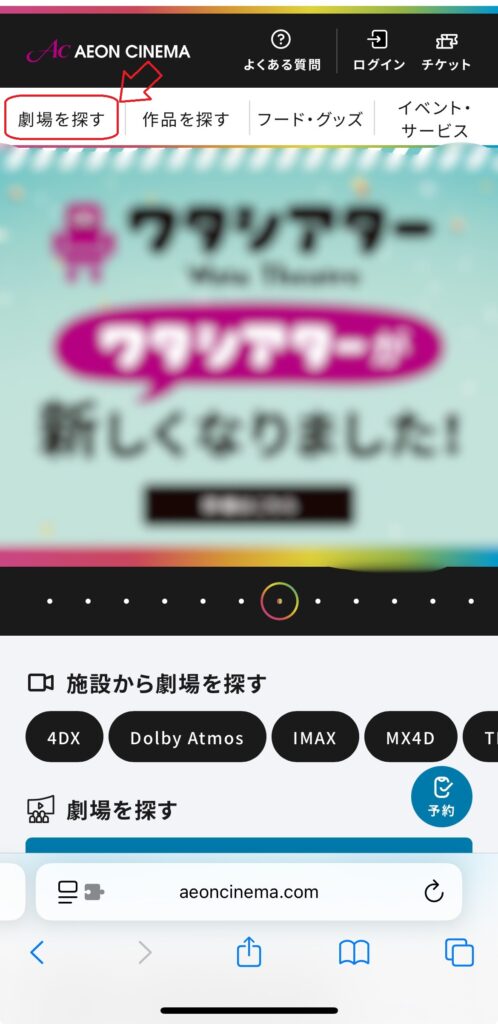
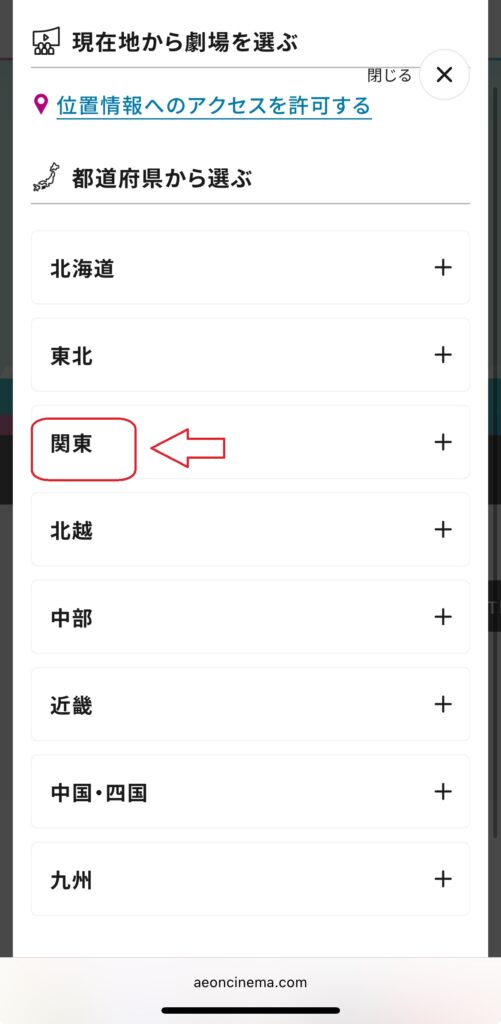
Step 1 — Choose Your Theater
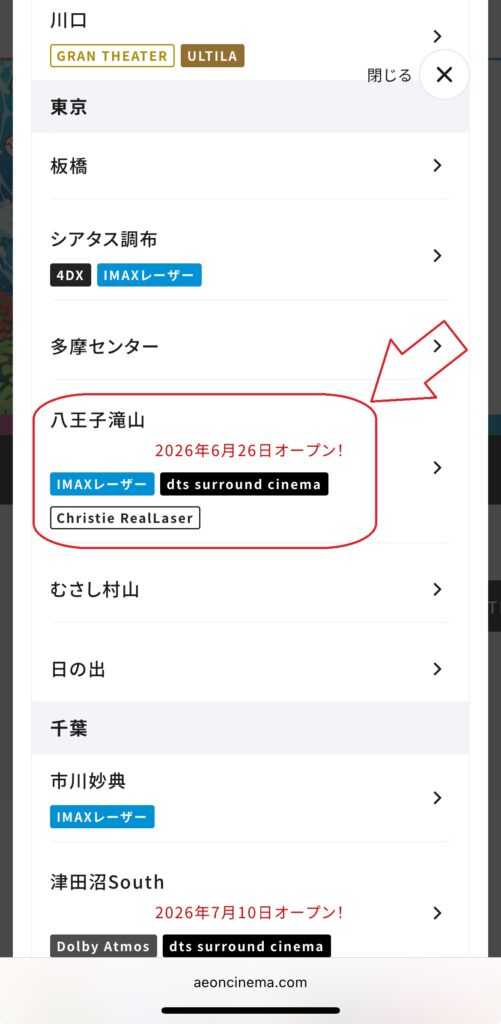
Start by selecting the AEON CINEMA where you’d like to watch your movie.
The theater list is displayed in Japanese, but Chrome’s built-in translation makes it much easier to find the correct location.
Tip: Double-check that you’ve selected the correct city. Many AEON CINEMA locations have similar names.
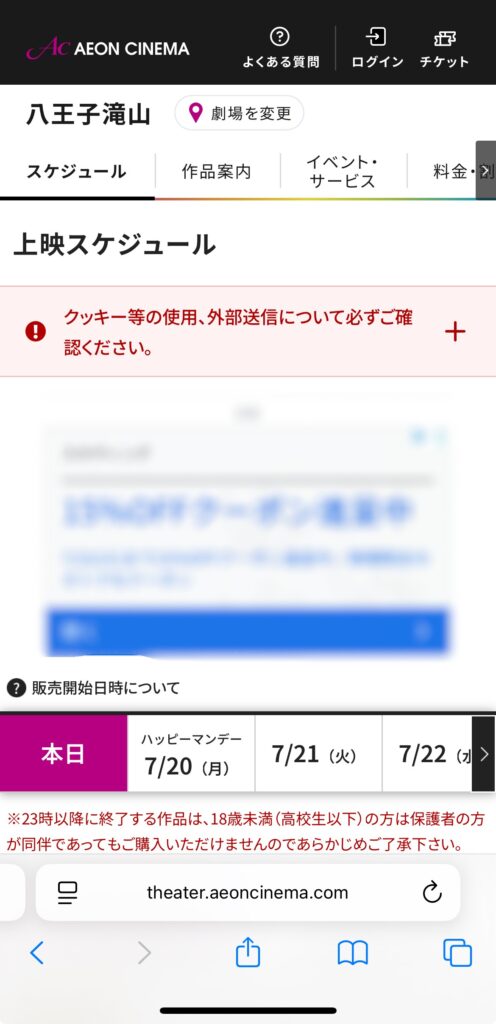
Step 2 — Choose a Date, Movie, and Showtime
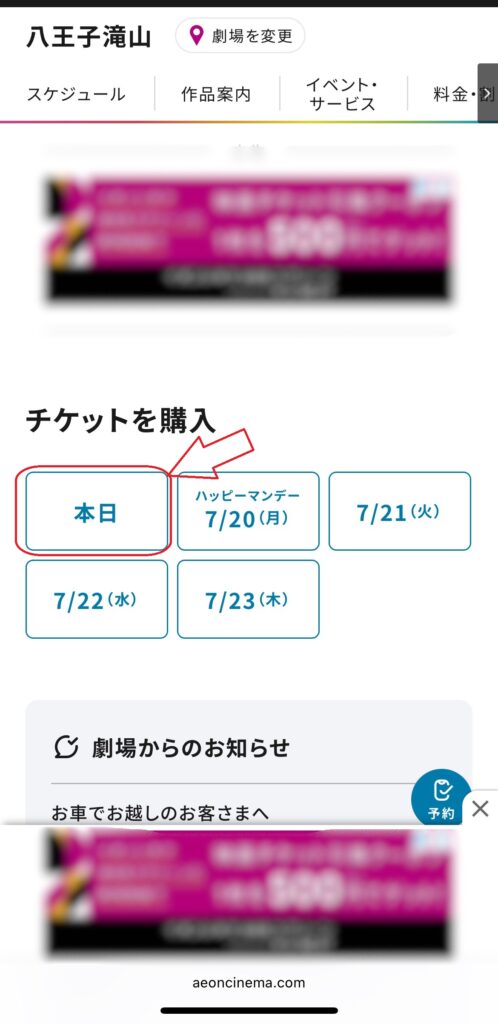
First, choose the date you’d like to visit.
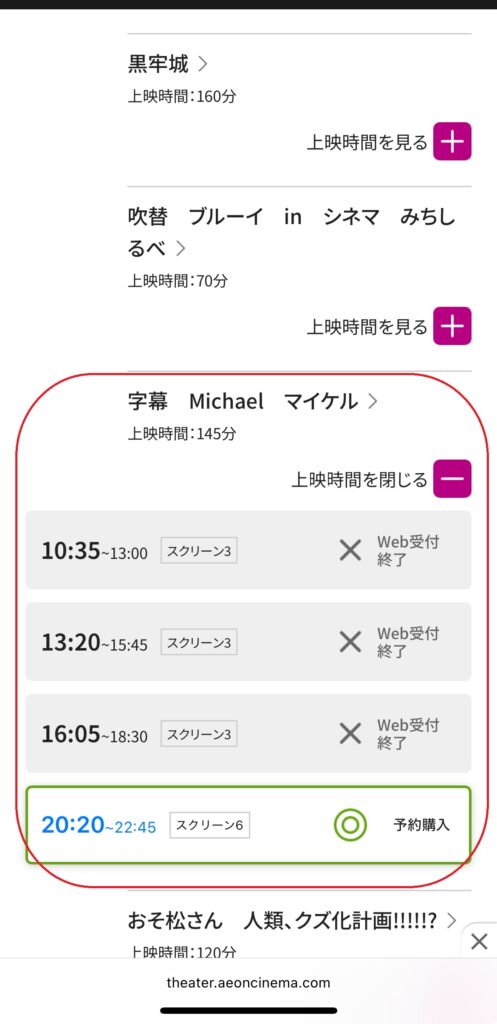
Next, select the movie and your preferred showtime.
Movie titles are displayed in Japanese, so Chrome’s built-in translation can help you identify the correct film.
Not sure what subtitled or dubbed means?
Read our guide:Do Japanese Movie Theaters Have English Subtitles?
Tip: Double-check that you’ve selected the correct version of the movie, such as subtitled, dubbed, or IMAX, before continuing.
🔴Scroll down
Step 3 — Continue Without Logging In
After selecting your preferred showtime, you’ll be asked whether you’d like to sign in with a Watashi Theater account.
If you don’t have an account, simply choose Continue without logging in to proceed as a guest. You can complete your reservation without creating a membership.
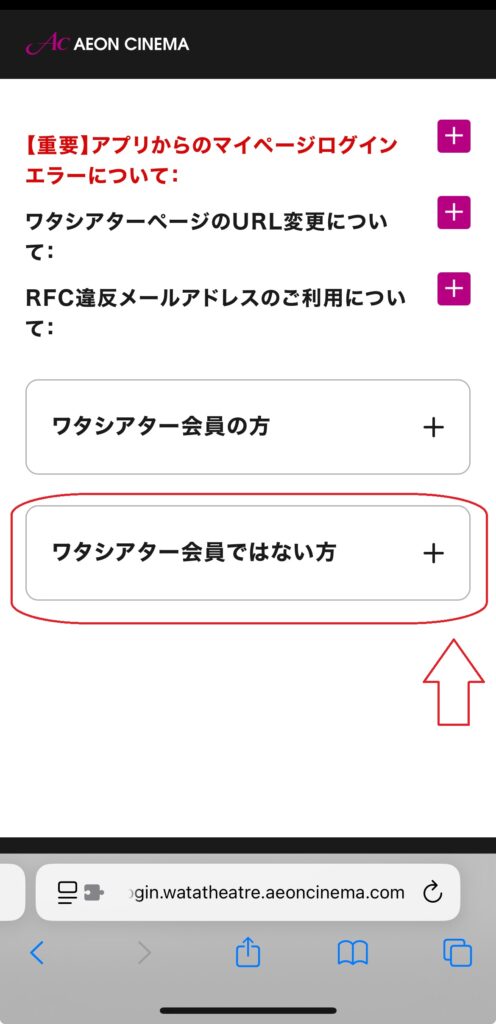
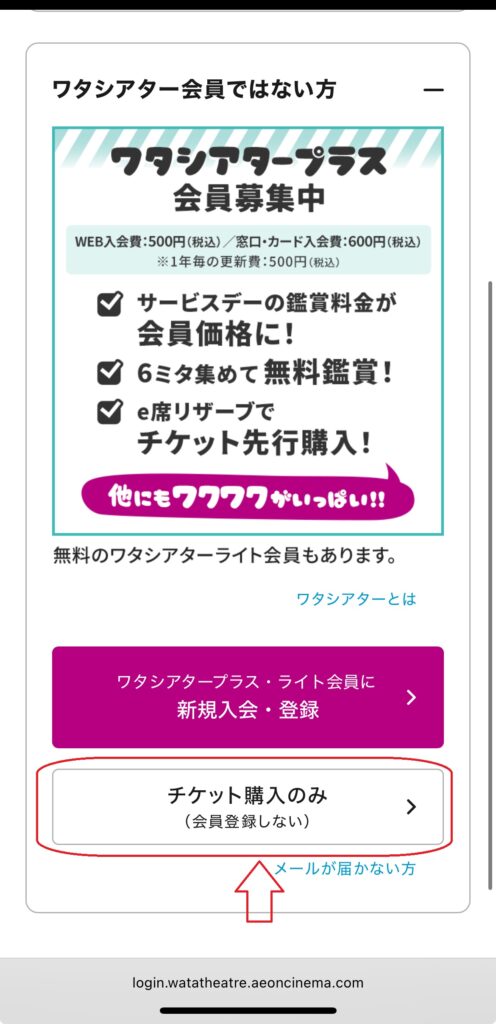
Tip: You don’t need a Watashi Theater membership to book tickets online.
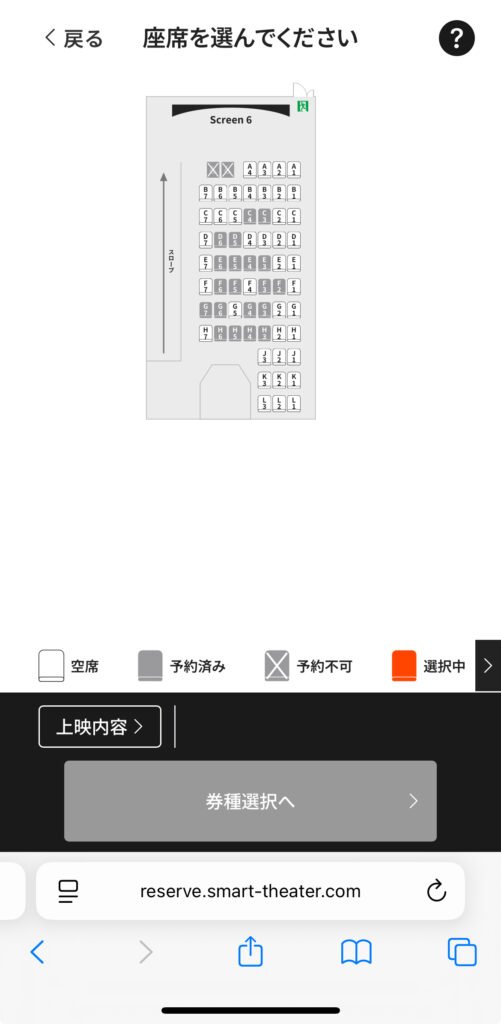
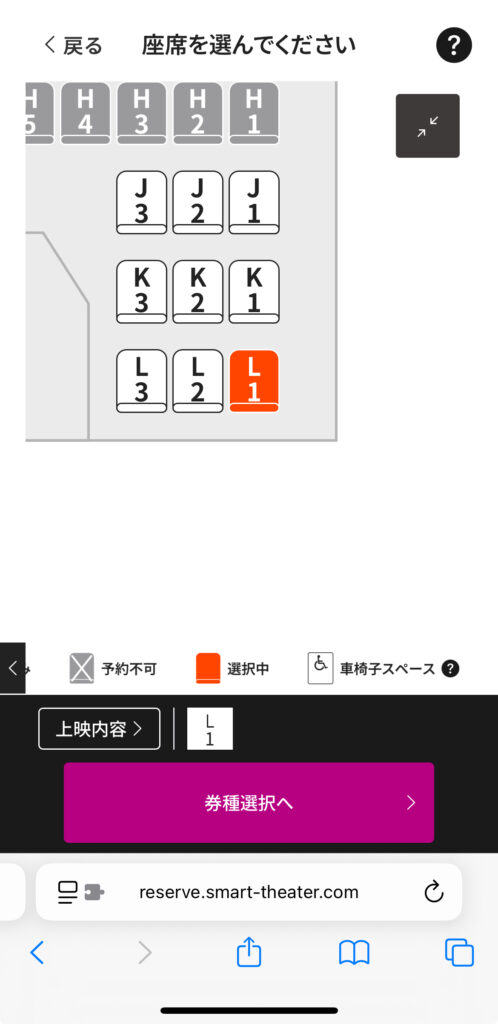
Step 4 — Select Your Seats
Choose your preferred seats from the seating chart.
After selecting your seats, click Next to continue.
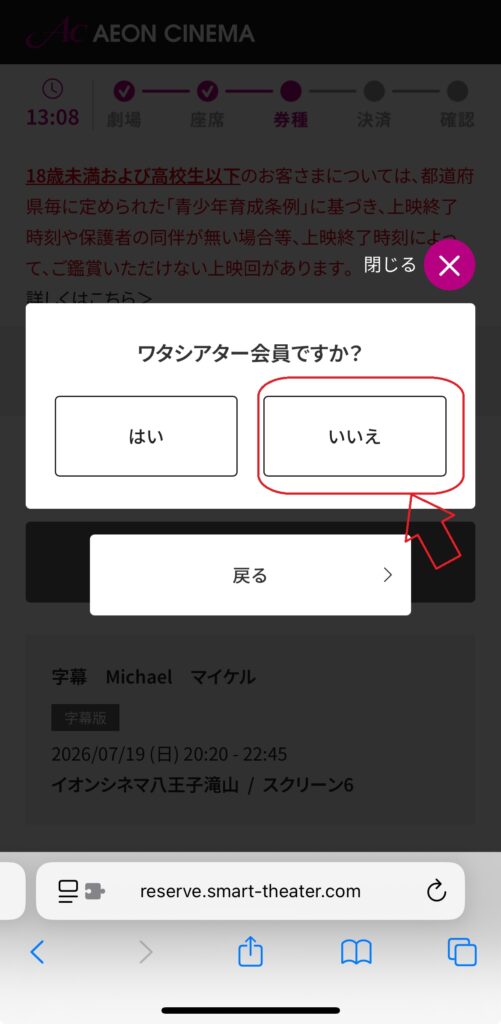
Step 5 — Continue Without Logging In Again
After selecting your seats, you’ll be asked once again whether you’d like to sign in with a Watashi Theater account.
Choose No to continue without creating or signing in to an account.
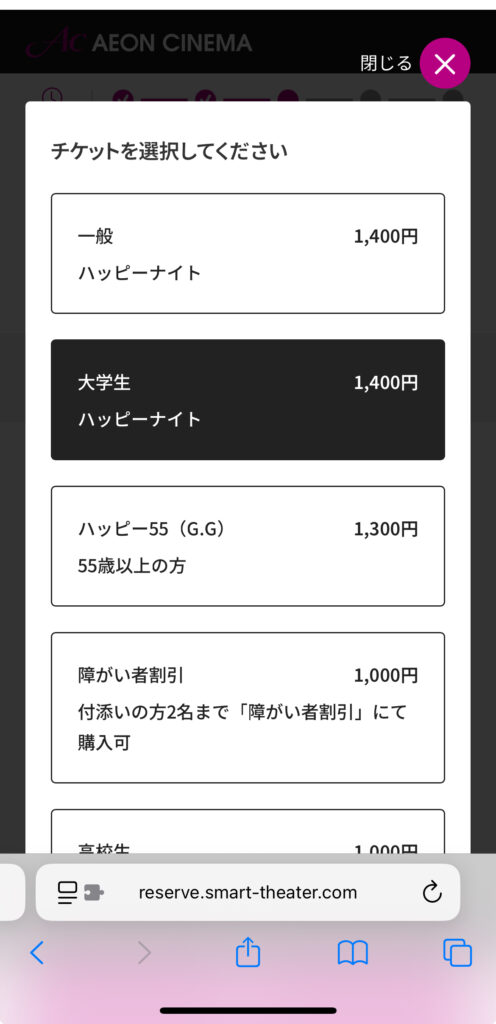
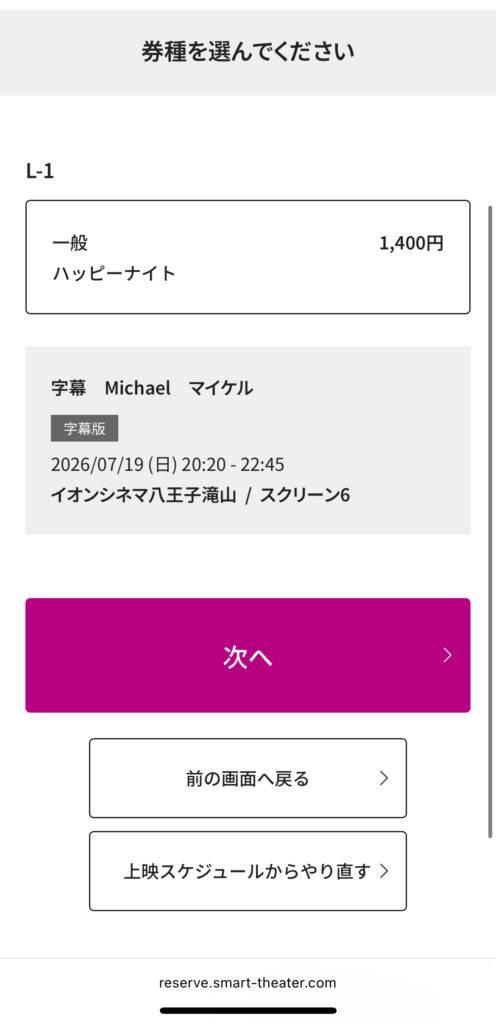
Step 6 — Choose Your Ticket Type
Select the appropriate ticket type for each seat you chose before continuing.
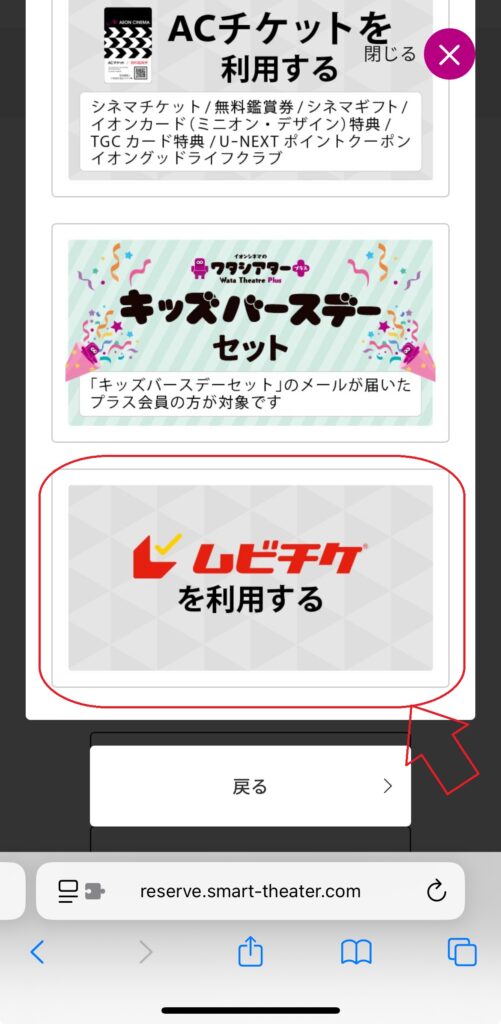
If you’re using a MoviTicket, scroll down and select Use MoviTicket before proceeding.
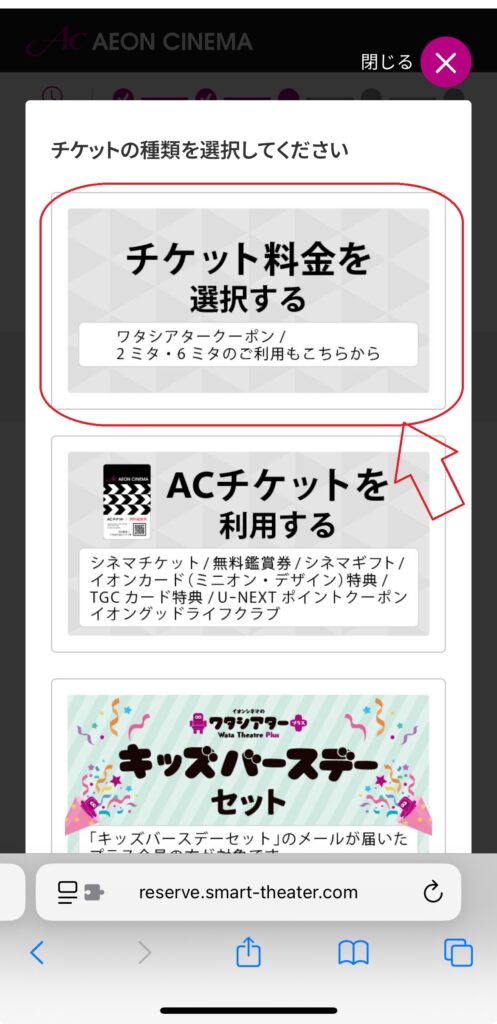
Tip: The Use MoviTicket button is located further down the page, so you may need to scroll to find it.
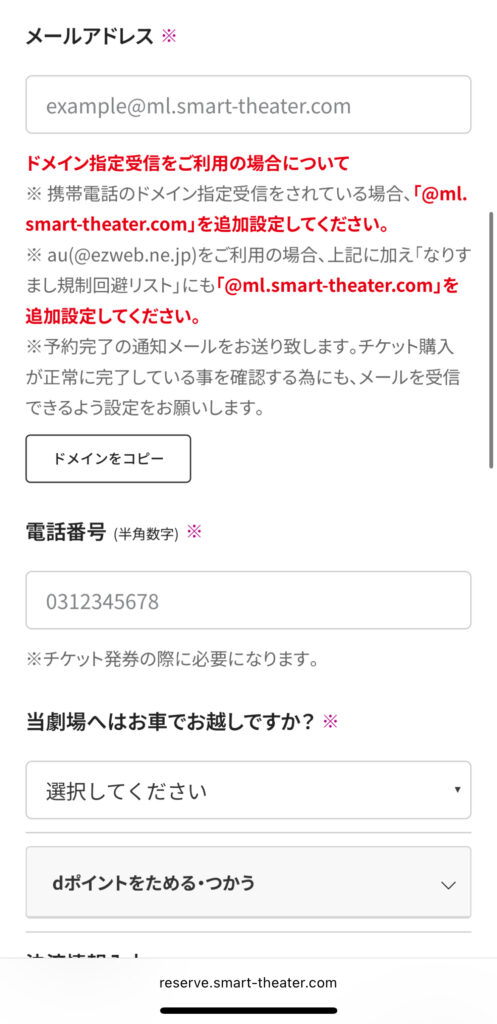
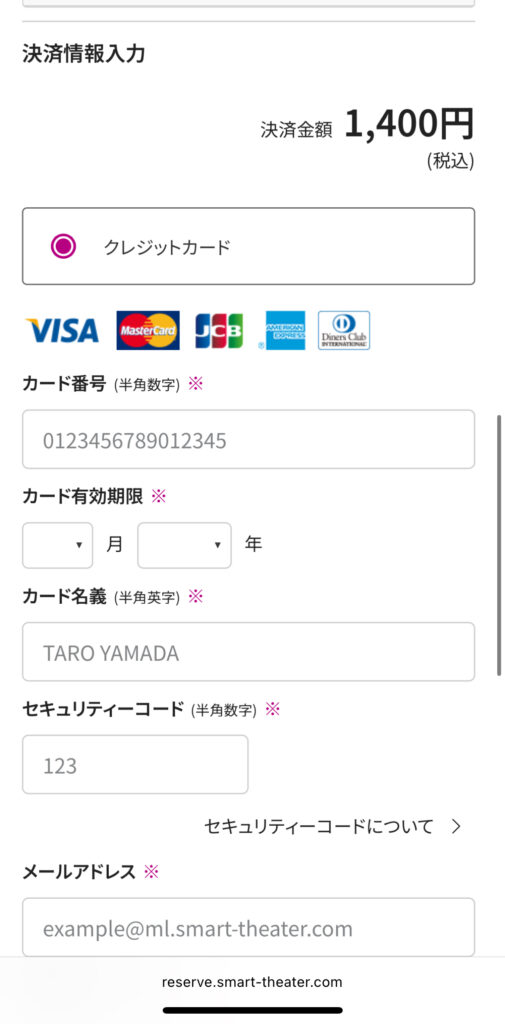
Step 7 — Complete Your Payment
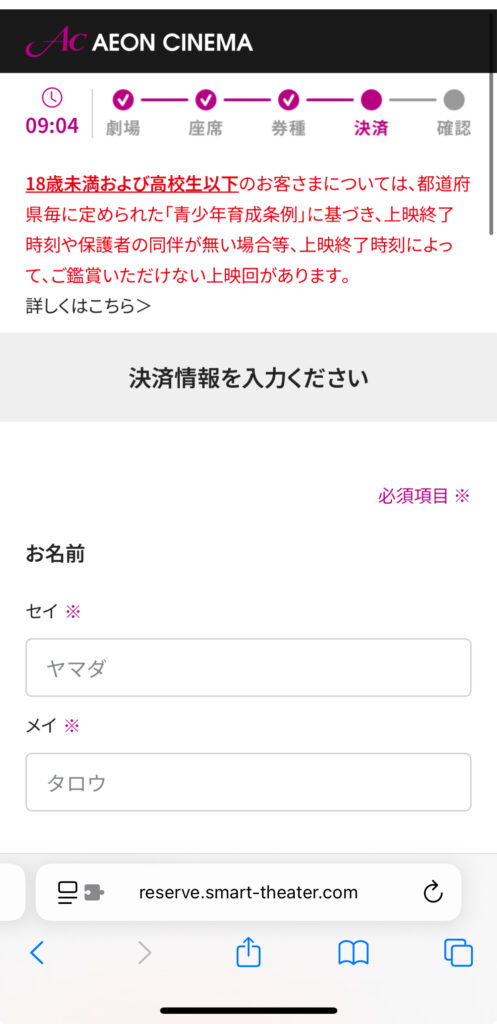
Enter your contact information, including your name (in Katakana), phone number, and email address.
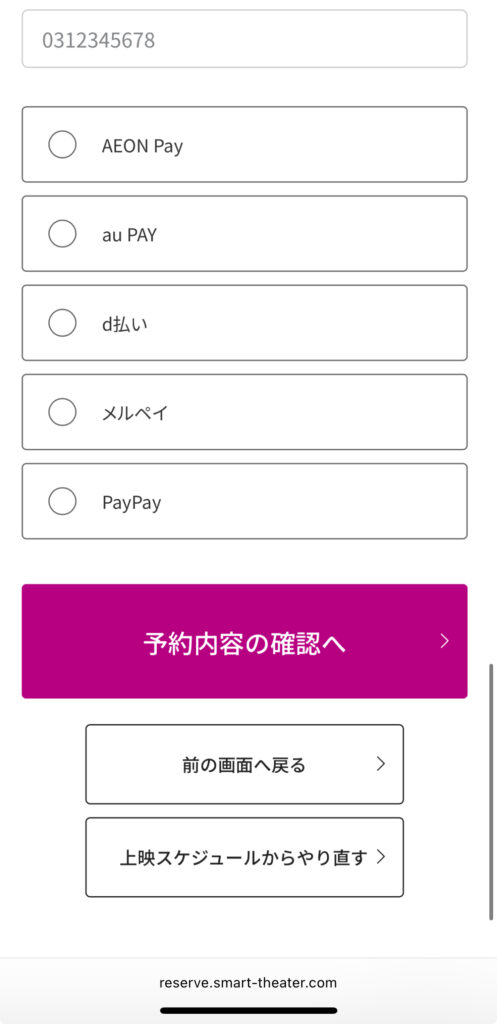
Next, choose your preferred payment method and complete your purchase.
Available payment methods include:
- Credit Card
- AEON Pay
- PayPay
- d払い
- au PAY
- Merpay
How to Receive Your Ticket
After completing your booking, you’ll receive a confirmation email with your ticket information.
On the day of your visit, simply present the QR code from your confirmation email at the theater.
Option 1 — Use the QR Code on Your Smartphone
After completing your booking, you’ll receive a confirmation email containing your digital ticket.
Simply present the QR code at the entrance to enter the theater without printing a paper ticket.
Option 2 — Print Your Ticket at the Theater
If you’re unable to open your ticket on your smartphone, you can print it at a ticket machine at the theater instead.
To do so, you’ll need your confirmation number and the phone number you entered during booking.
Things to Know Before Booking
When Do Ticket Sales Open?
Regular ticket sales begin at 12:00 AM (midnight), two days before the screening date, and remain available until 10 minutes after the movie starts.
Watashi Theater Plus members can purchase tickets from 6:00 PM, three days before the screening.
Please note that some movies may have different sales schedules.
Can I Cancel or Change My Booking?
Yes, in some cases.
AEON CINEMA allows you to change your booking until 10 minutes after the movie starts, including changing the date or ticket type.
However, changes aren’t available if you used a MoviTicket, AC Ticket, Watashi Theater coupon, or d Points during your purchase. Additional conditions may also apply.
Can I Enter After the Movie Starts?
Yes.
AEON CINEMA allows late entry even after the scheduled start time.
However, to avoid missing important scenes, we recommend arriving before the movie begins.
FAQ
Can tourists book AEON CINEMA tickets online?
Yes. You can book tickets online without creating a Watashi Theater membership. Guest checkout is available, making it easy for tourists and first-time visitors.
Do I need a Watashi Theater membership?
No. A Watashi Theater membership is optional. If you don’t have an account, simply choose Continue without logging in during the booking process.
Do I need a Japanese phone number?
A phone number is required during the booking process. However, we could not verify whether overseas phone numbers are accepted.
Can I pay with a foreign credit card?
We could not verify whether AEON CINEMA accepts overseas-issued credit cards.
If possible, we recommend having an alternative payment method available in case your card isn’t accepted.
Is there an English version of the booking website?
No. AEON CINEMA’s booking website is only available in Japanese.
However, Chrome’s built-in translation makes the booking process much easier for international visitors.
Ready to Enjoy Your Movie?
Booking movie tickets at AEON CINEMA may seem confusing at first, but it’s easy once you know the steps.
We hope this guide helps you book your tickets with confidence and enjoy your movie experience in Japan!